 PheLog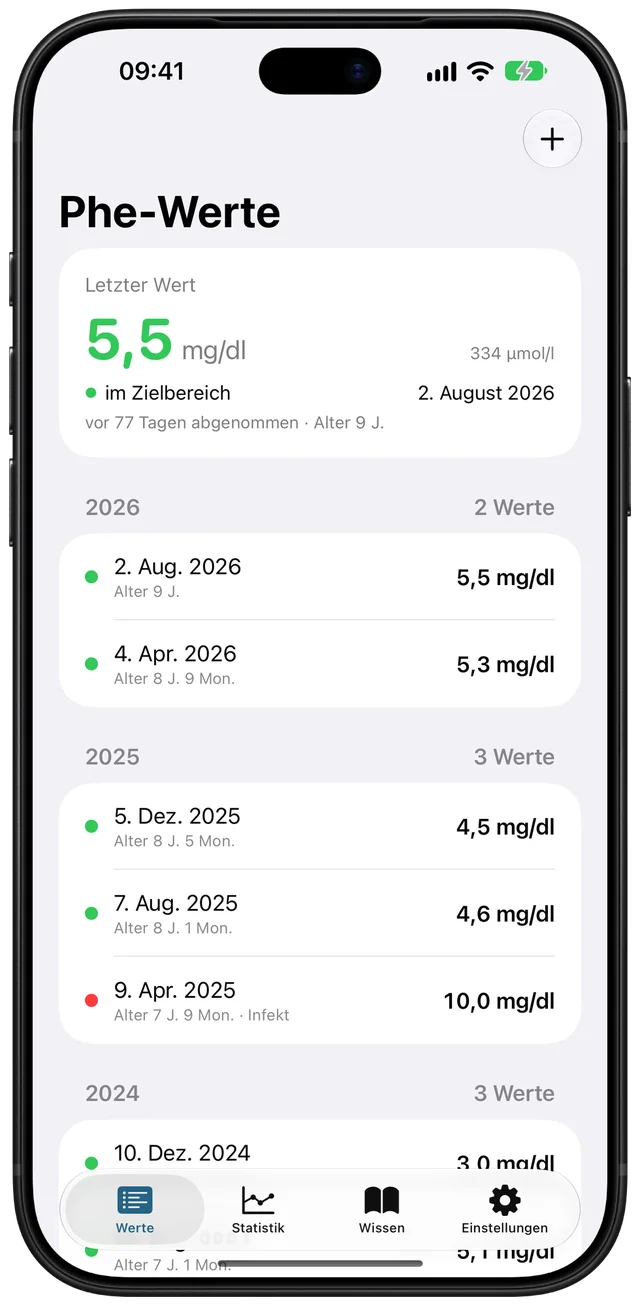
The report arrives
Some labs report µmol/l, others mg/dl. You enter the value exactly as it is printed. PheLog converts it automatically.
In the report334 µmol/l
In the app5.5 mg/dl
For families living with PKU and mild HPA
PheLog is a diary for your child’s Phe blood levels. Enter a value, read it from the traffic light and understand it over months and years. Everything stays on your iPhone.
How it works
After the diagnosis, lab reports arrive at regular intervals. PheLog keeps all values in one place, so you and your metabolic centre can see how things develop.
Some labs report µmol/l, others mg/dl. You enter the value exactly as it is printed. PheLog converts it automatically.
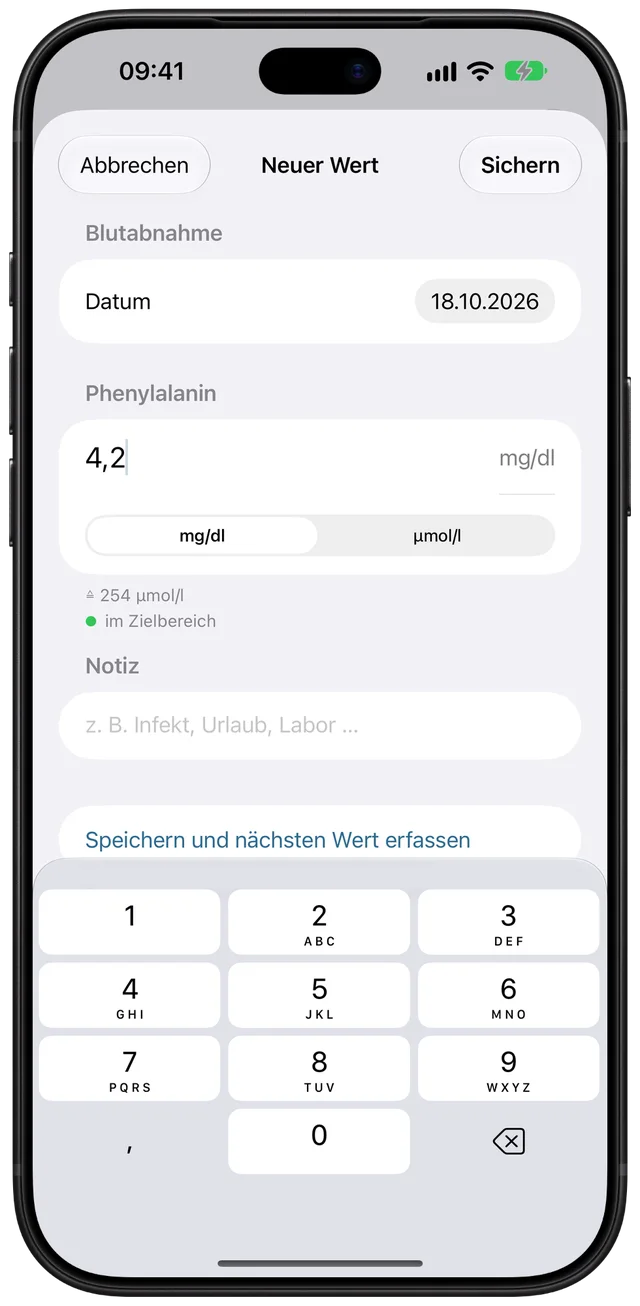
Date, value and, if you like, a note such as “infection” or “holiday”. Older reports are easy to add later.
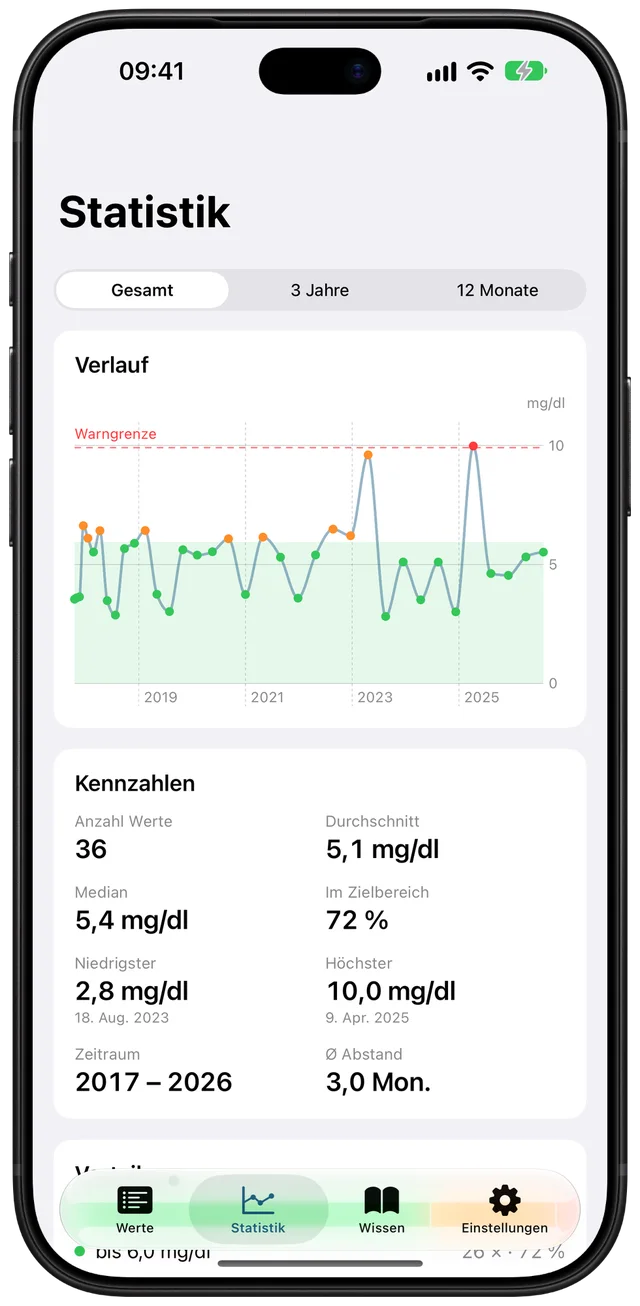
The statistics show every value as a curve, plus the average, the share within target and an overview by year of age.
The traffic light
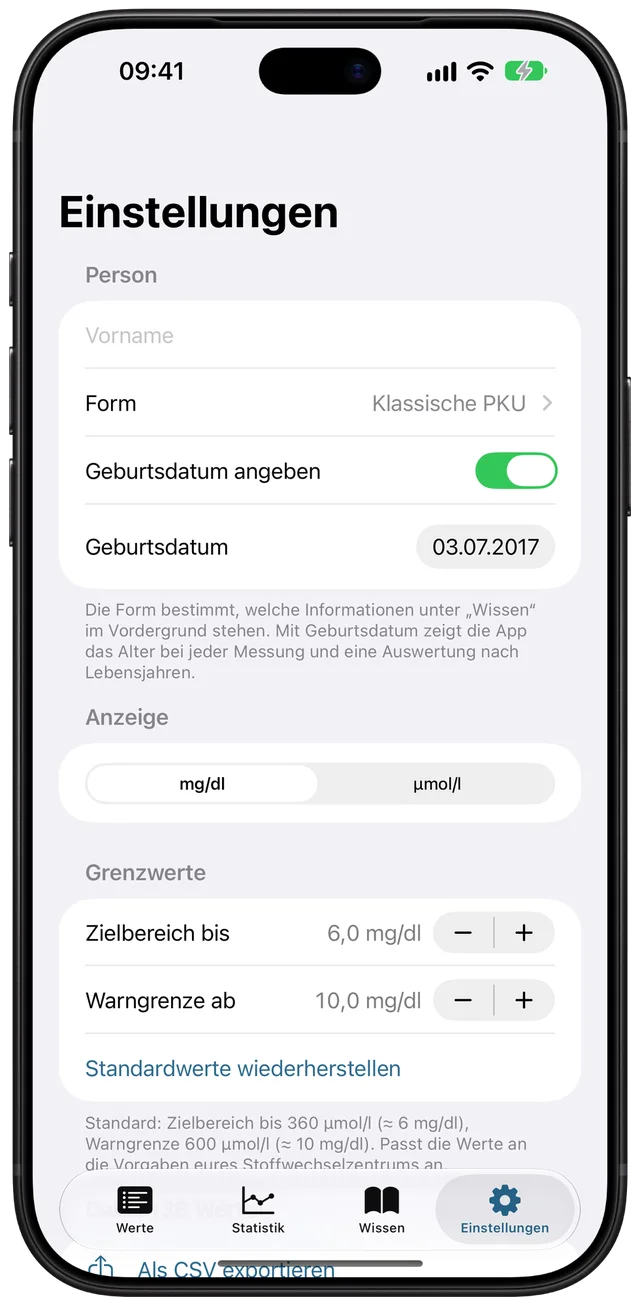
Every value gets a colour. Your metabolic centre decides which limits apply to your child, and you set exactly those limits in PheLog.
The defaults are 360 µmol/l (about 6 mg/dl) for the target limit and 600 µmol/l (about 10 mg/dl) for the warning limit. They are only a starting point; your centre’s guidance always comes first.
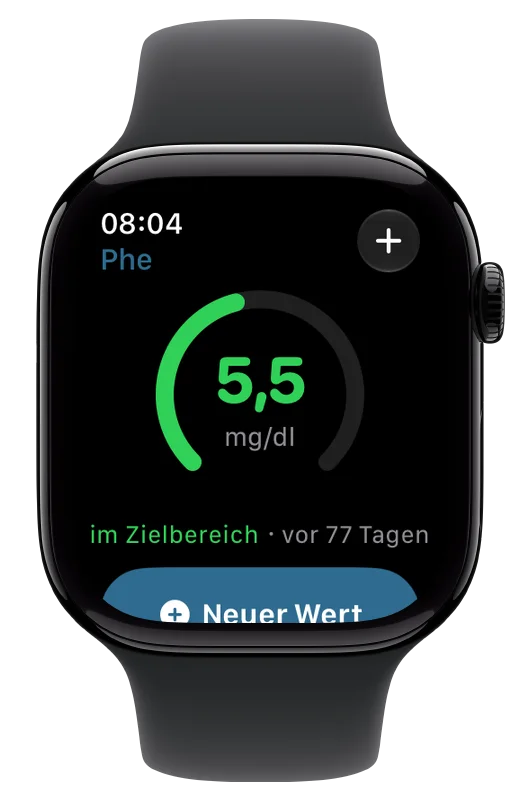
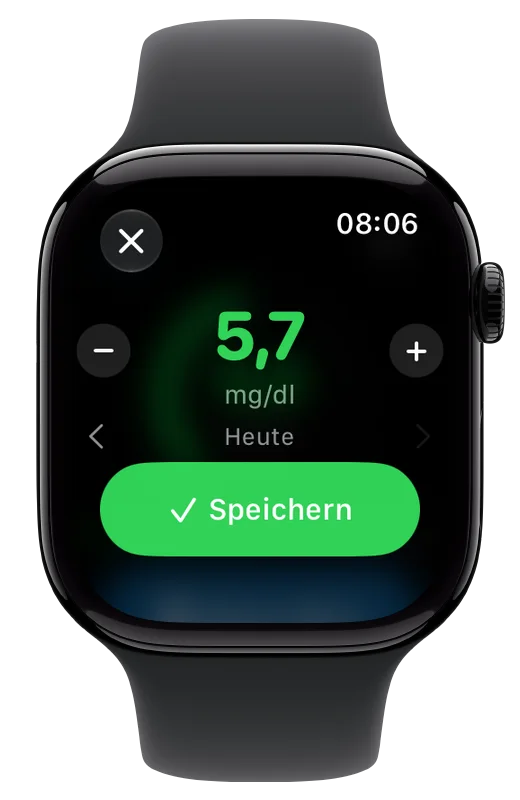
Apple Watch
The watch shows the latest value in its traffic-light colour. When a new result comes in, you can log it in a few seconds, even if your iPhone isn’t to hand.
For every form
Specialists call it PAH deficiency: a liver enzyme breaks down phenylalanine (Phe) only to a limited extent. How limited varies from child to child. PheLog works the same way for every form.
120–600 µmol/l · 2–10 mg/dl
The enzyme still works fairly well. A diet is usually not needed; regular check-ups show whether the levels stay stable.
600–1200 µmol/l · 10–20 mg/dl
The enzyme has little residual activity. Your centre decides on the treatment. The blood levels show whether it fits.
above 1200 µmol/l · above 20 mg/dl
The enzyme barely works or not at all. Detected early and well supported, children usually develop normally. A complete record of levels helps.
Typical untreated levels, usually measured at diagnosis. The exact limits vary slightly between guidelines.
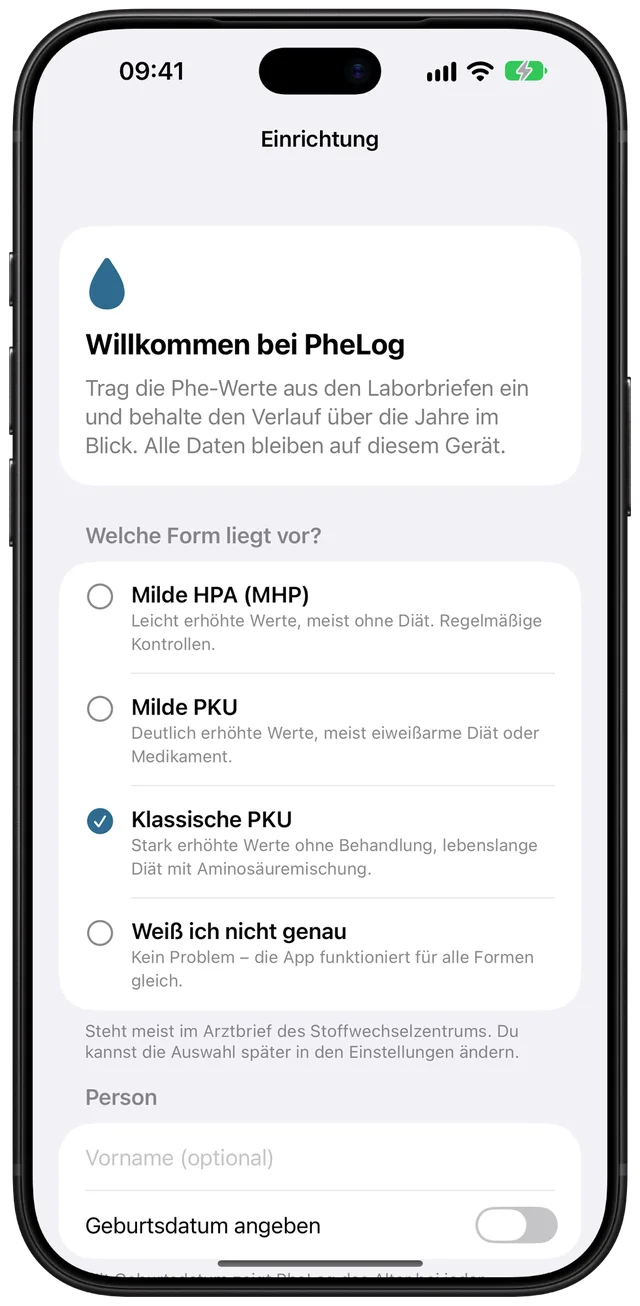
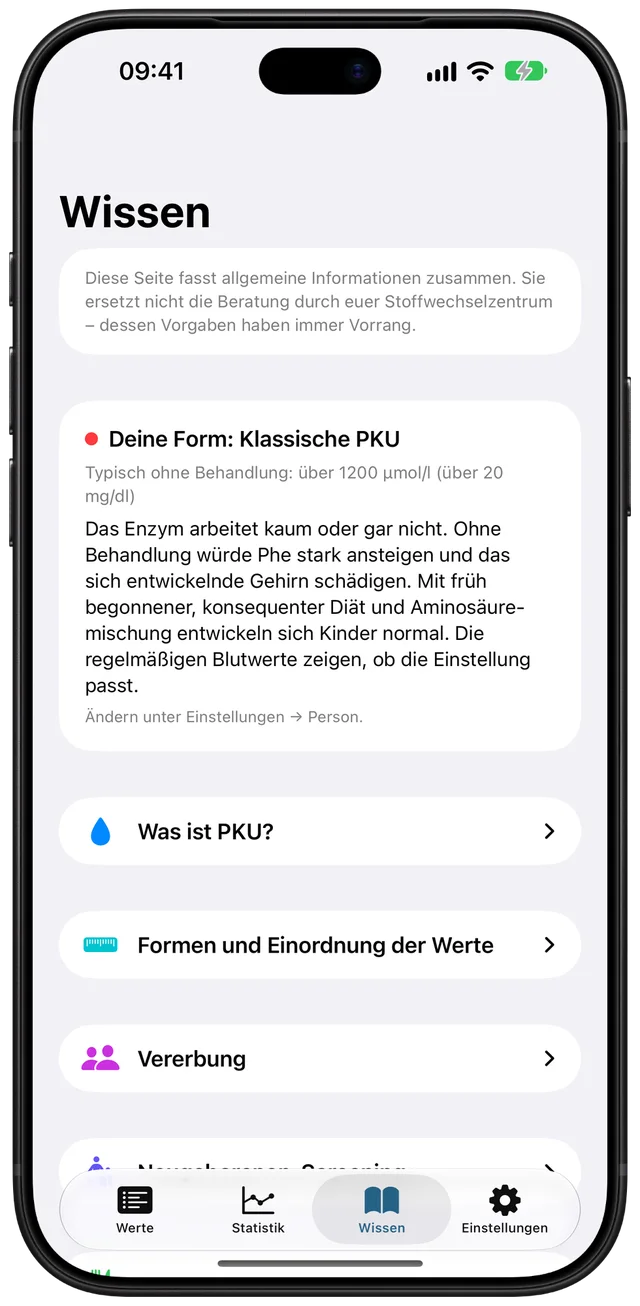
When you first open the app, you choose the form. If you don’t know it yet, pick “not sure”; the app still works fully. The “Wissen” (knowledge) tab covers the essentials about PKU, inheritance, newborn screening and blood sampling, with sources for further reading.
Explainer video
What PKU is about and how PheLog helps day to day. The video is narrated in German; English subtitles are switched on.
Privacy
Health data is among the most sensitive data there is. That’s why PheLog has no server, no sign-in and no internet connection.
No sign-up, no email address, no password. Open the app and start.
No analytics, no ads, nothing shared with third parties. This website doesn’t set cookies either.
Your iPhone. The watch syncs directly with it. A CSV file only exists if you export one.
The details are in the privacy policy.
Also included
Enter and display values in either unit; the app does the conversion.
Infection, holiday, a different lab: whatever explains a value sits right next to it.
With a date of birth, PheLog shows the age for each value and groups results by year of age.
Back up values as a spreadsheet, share them with your centre or bring them in from Excel or Numbers.
All time, three years or twelve months, grouped by calendar year or year of age.
PheLog is a private, non-commercial project. No subscriptions, no in-app purchases, no ads.
PheLog runs on iPhone and includes an Apple Watch app. The app’s interface is currently in German. As soon as PheLog is in the App Store, you’ll find the link here.
PheLog records values and gives no advice on diet, dosage or treatment. Neither the app nor this website replaces medical advice. Your metabolic centre’s guidance always comes first.